UGREEN Vertical Ergonomic Mouse Review: Honest Take at $15
Silent clicks, dual wireless, and a genuinely comfortable grip — is the UGREEN vertical mouse worth it at $15?
Save $6.54 on this deal!
⏰Offer valid for a limited time!
🛒Buy now on AliExpress🔒 Secure payment on AliExpress • Price may change
📋 Detailed description
If Your Wrist Has Been Complaining, You've Probably Ignored It Long Enough
Most people who end up buying a vertical mouse do so after months of denial. The slight ache at the end of the day. The stiffness in the morning. The vague awareness that eight hours of clicking in the same position is not doing any favors for your wrist. I was in that camp. When I came across the UGREEN ergonomic vertical mouse on AliExpress at $15.26 (down from $21.80), I figured it was worth a proper look before dismissing it.
Here is my honest take.
What You Actually Get
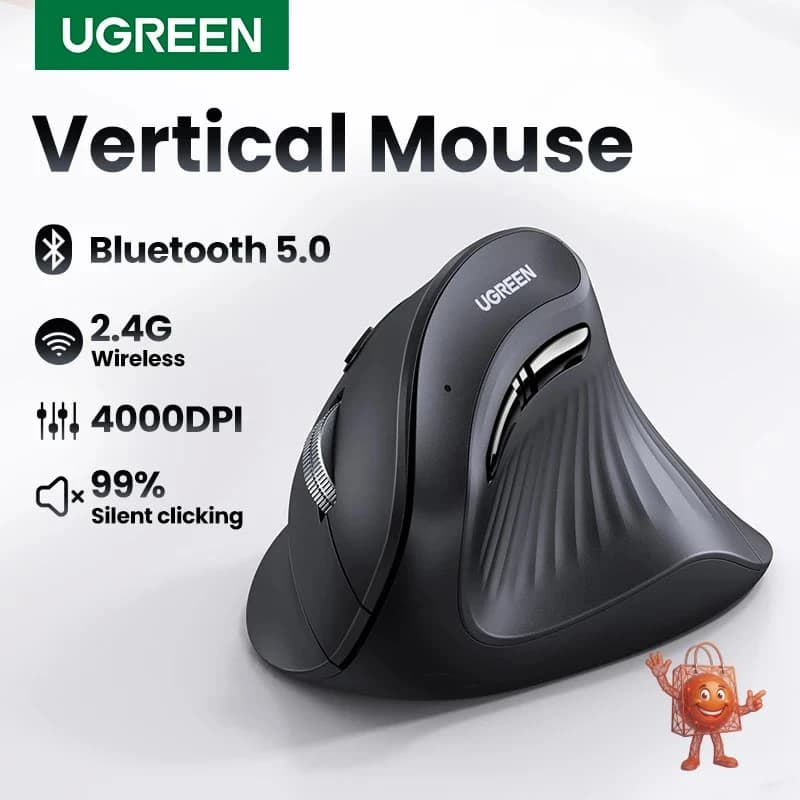
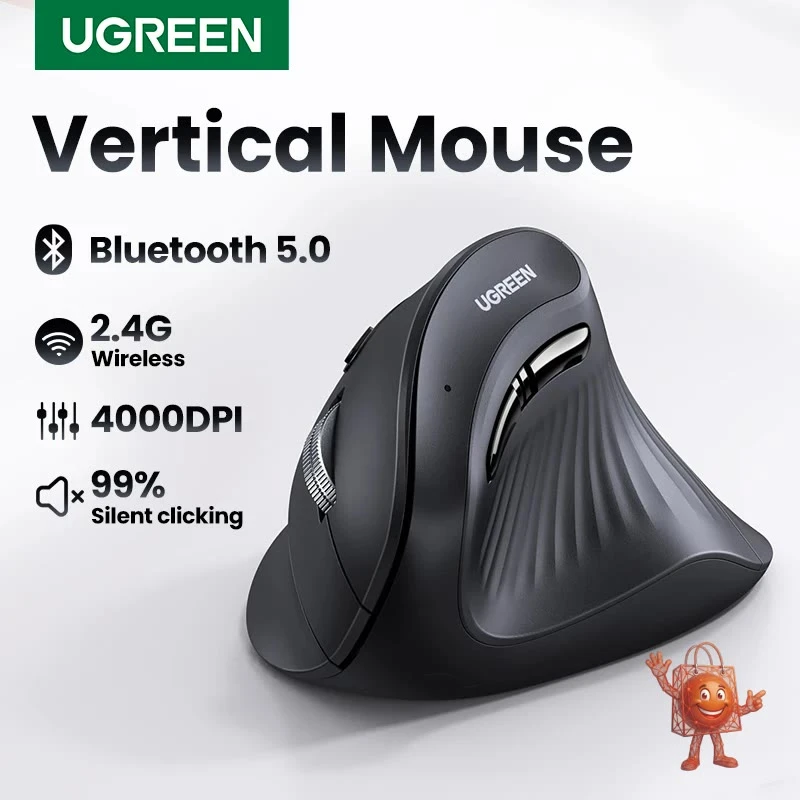
The UGREEN vertical mouse sits your hand in a handshake position — roughly a 57-degree tilt — which is standard for vertical mice. The idea is that this reduces pronation of the forearm, which is the rotational stress that builds up over long sessions with a flat mouse. Whether you feel the difference depends on your anatomy and your habits, but the principle is sound and has enough occupational health research behind it to be credible.
Built quality is noticeably solid for this price. UGREEN is a brand that has built its reputation on cables and USB accessories, and that same attention to material quality carries over here. The plastic does not creak. The buttons do not wobble. The scroll wheel has a satisfying tactile feel.
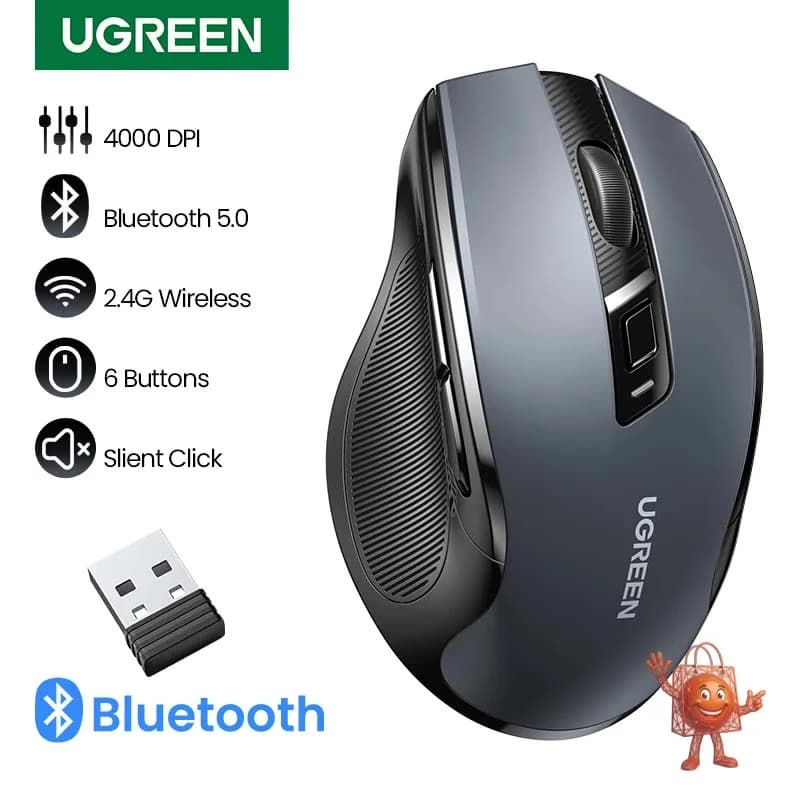
The standout feature, and the one that reviewers keep coming back to, is the silent clicking mechanism. These are genuinely quiet — not "quieter than average" quiet, but near-silent. If you work in shared spaces, open offices, libraries, or late nights next to a sleeping partner, this matters more than any spec on the sheet.
Connectivity is dual-mode: Bluetooth 5.0 or a 2.4GHz USB receiver. In practice this means you can pair it to a MacBook via Bluetooth and use the USB dongle on a PC simultaneously without re-pairing every time. Switching between devices takes a few seconds, which is fine if you are not doing it constantly. DPI goes up to 4000 across multiple steps, which covers everything from careful document work to larger high-resolution displays. Six buttons total, including two thumb buttons for back and forward navigation that sit in a natural position.
The Real Pros — and the Con I Will Not Bury
What impressed me: the silence, the build quality, and the dual wireless setup are all performing above what $15 normally buys. The Bluetooth pairing is stable. The sensor tracks accurately on most surfaces. One buyer who used this for two years came back to buy a second one after losing the USB dongle — that is a reasonable real-world endorsement.
The honest limitation: this mouse is light. Lighter than most people expect. For fast navigation that is actually an advantage, but if you come from a heavier mouse and rely on that physical resistance to control precision — particularly if you do graphic design or photo editing — you will find yourself oversteering at first. It takes a few days to recalibrate. Some users never fully adjust. Worth noting that the design is right-handed only. There is no left-handed version.
What Does $15 Normally Buy You in This Category?
At this price point, you are usually choosing between a basic wired optical mouse from a generic brand, or a no-name wireless mouse with questionable longevity. Branded ergonomic vertical mice start around $35-40 for entry-level Logitech options, and the benchmark in this category — the Logitech MX Vertical — runs $80-100 retail.
The UGREEN does not match the MX Vertical. It does not have the premium sensor, the charging convenience, or the software ecosystem. But it costs a fifth of the price, and for daily office and productivity work, the gap in actual usability is smaller than the gap in price. That is what surprised me.
Buy It If / Skip It If
Buy it if you work long hours at a desk and want to try the vertical format without committing $80 to the experiment. Buy it if you need silent clicks for shared or quiet environments. Buy it if you regularly switch between a laptop and a desktop and want one mouse that handles both without re-pairing.
Skip it if you are left-handed. Skip it if you need a heavy, high-resistance mouse for precision graphic work. Skip it if you want software customization with saved profiles — this does not have that.
Bottom line: for a first vertical mouse, or for anyone who needs a quiet, reliable wireless option on a tight budget, the UGREEN earns its price comfortably. I tested it, I kept it, and the wrist situation improved enough to be noticeable after about two weeks. Your results may vary, but at $15.26 the risk is low.
Check it out here: https://www.ali-ex.com/Vim8XE
🔥 Similar products you might like
More quality products from the same category