Ugreen Wireless Keyboard Review: Solid Value at $29?
An honest look at the Ugreen 2.4GHz 104-key wireless keyboard - what it does well, where it falls short, and who should buy it.
Save $13.01 on this deal!
⏰Offer valid for a limited time!
🛒Buy now on AliExpress🔒 Secure payment on AliExpress • Price may change
📋 Detailed description
The problem with budget wireless keyboards
Most cheap wireless keyboards follow the same script: they look fine in product photos, connect without drama for the first week, and then start showing their true nature - sticky keys, intermittent dropouts, a mushy feel that makes every email feel like a punishment. So when I started looking for a reliable wireless keyboard under $30, I was skeptical. Then I found the Ugreen 2.4GHz 104-key wireless keyboard, and my honest take is more positive than I expected.
Honest Review: What Works and What Doesn't
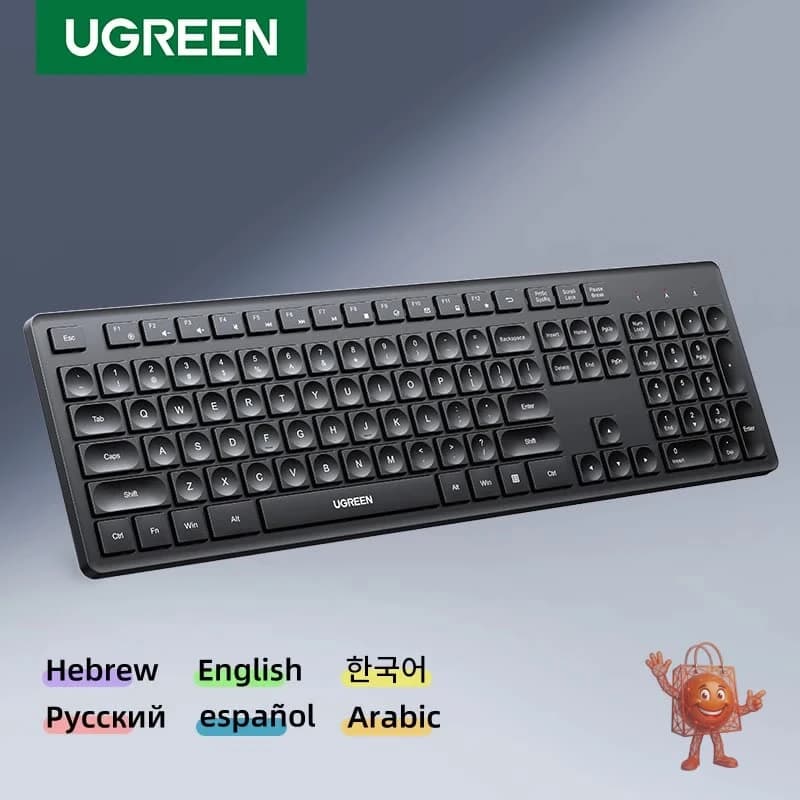
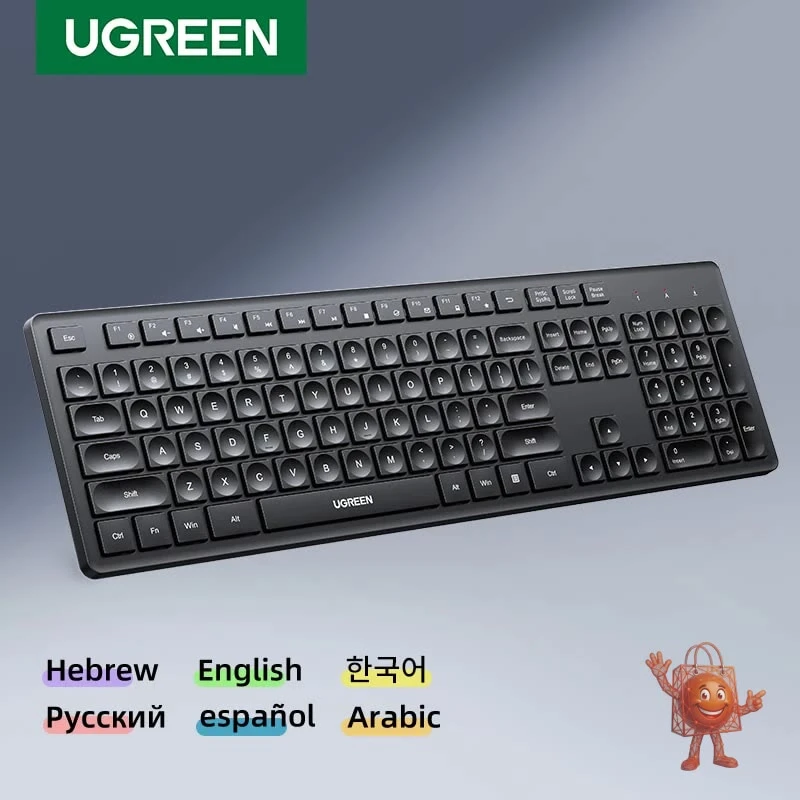
First, what surprised me: the typing feel. This is a membrane keyboard, and membrane keyboards at this price are usually forgettable. The Ugreen is not. The keys have a soft, defined travel with no mushiness and no sticking when you hit multiple keys at once. Buyers who've used it note no input lag and near-instant response - the wireless connection at 2.4GHz is stable, and the USB receiver just works. Plug it in, it connects automatically. No drivers, no software, no setup ritual.
The 104-key full layout includes a proper number pad, which matters more than people admit. If you work with spreadsheets, accounting software, or any data entry, having a numpad changes your workflow. The keyboard supports three language layouts - Hebrew, English, and Korean - which is a genuinely unusual feature for this price point and makes it interesting for multilingual households or international users.
Compatibility covers both Windows and Mac OS without any fuss. The build feels substantial enough that the keyboard stays in place while you type - it doesn't skate across your desk.
Now for the honest limitations. There is no physical power switch. The keyboard goes into sleep mode automatically to conserve battery, but you cannot manually turn it off. For most people this is a non-issue, but worth knowing if you like full control. Worth noting that the backspace key is noticeably louder than the other keys - not dramatically so, but it stands out. It's a quirk, not a defect, but I'd rather tell you now than have you notice it on day one.
What Do You Normally Get at This Price?
At around $29, the wireless keyboard market is mostly no-name options that technically function but feel disposable. Think unbranded Amazon listings with two-word brand names you've never heard of, flimsy plastic, and zero after-sales support.
Ugreen is an actual brand with a real product track record in cables, chargers, and accessories. That matters here. The quality control is visibly better than what you typically find at this price tier. If you want a named brand like Logitech with a full 104-key wireless layout and multilingual support, you're probably looking at $50 to $70 minimum. The Ugreen undercuts that significantly without sacrificing the basics.
It is not a mechanical keyboard. It is not a gaming peripheral. If you need tactile switches, audible click feedback, or per-key RGB lighting, this is not the product for you and no amount of good value changes that.
Buy It If / Skip It If
Buy it if you work from home and need a dependable wireless keyboard for everyday writing, email, and productivity tasks. Buy it if you use both Windows and Mac and want one keyboard that handles both without reconfiguring anything. Buy it if you need Hebrew, English, or Korean support in a single board - that combination at this price is genuinely hard to find.
Skip it if you are a gamer who needs mechanical switches and fast actuation. Skip it if the absence of a hard power switch will bother you. Skip it if you are already happy with a keyboard and are looking for an upgrade - this is a replacement or a starter, not a step up for someone with high-end requirements.
Verdict: At $29 with a 31% discount, the Ugreen Wireless Keyboard does what it promises without the compromises you normally have to accept at this price. The typing experience is better than expected, the connection is solid, and the multilingual layout is a genuine differentiator. It earns its place on a work desk.
Price: $29 (was $42) - check current price and availability here: https://www.ali-ex.com/tIclAn
🔥 Similar products you might like
More quality products from the same category